
1. Asset Discovery: Find Apex Domains
Whois or DNSChecker
Get Your Target’s Organization Name…
Whois
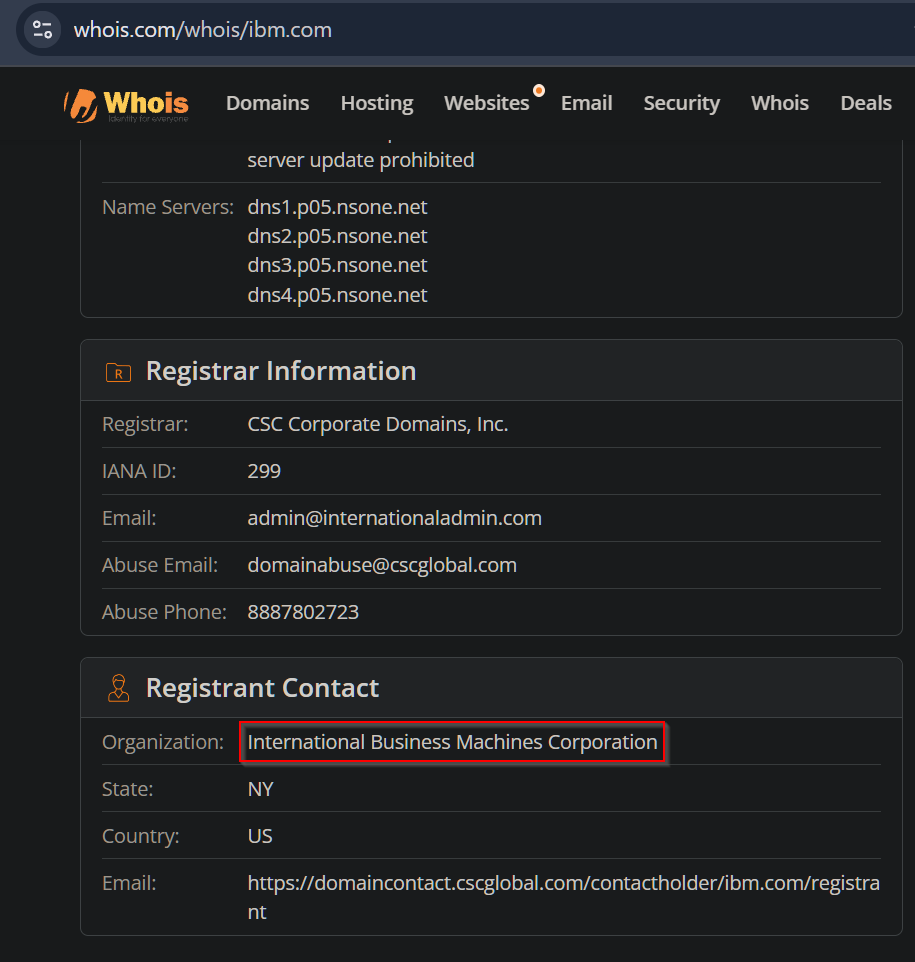
Example: For IBM
Whois works: https://www.whois.com/whois/ibm.com
DNSChecker
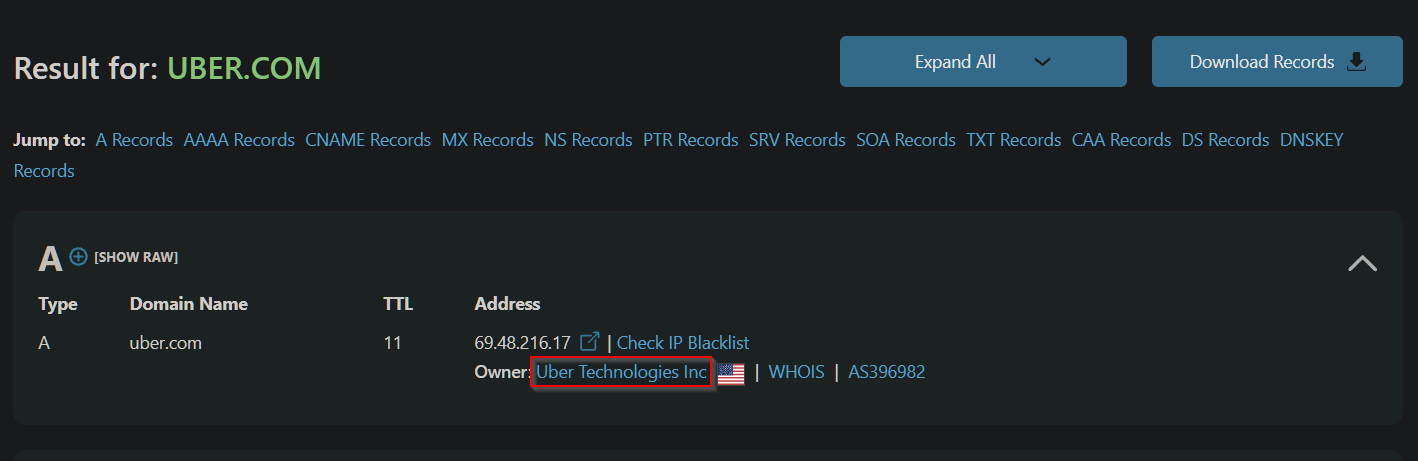
Example: For Uber
DNSChecker works: https://dnschecker.org/all-dns-records-of-domain.php?query=uber.com&rtype=ALL&dns=google
ASNs + IP Ranges
Get your target’s Autonomous System Numbers (ASNs) and/or IP ranges…
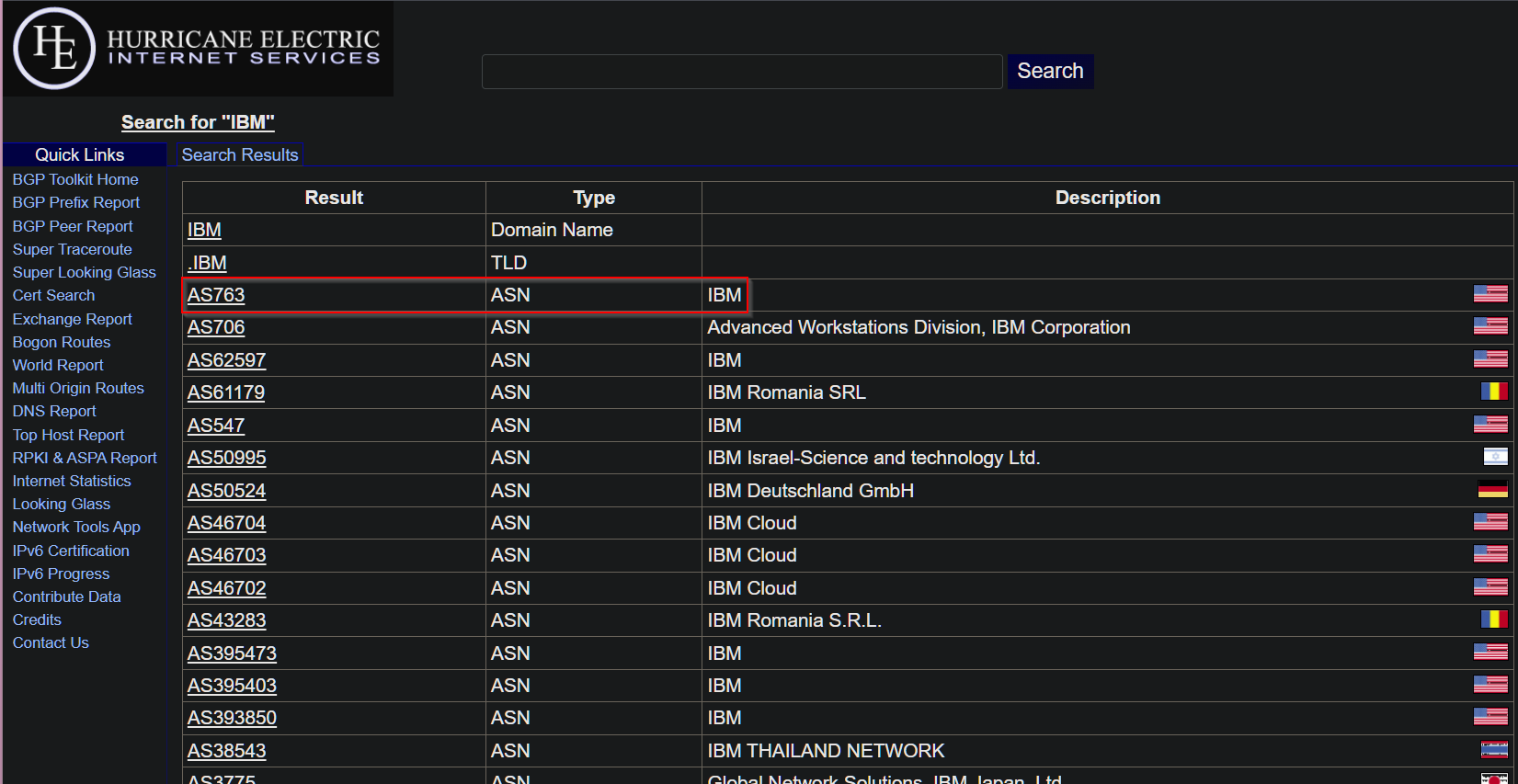
https://bgp.he.net/
- Search for organization’s names. There may be multiple names.
- Save the ASN numbers.
- Click on the ASN# -> Prefixes v4 to get the IP ranges and save them to a
ips.txtfile.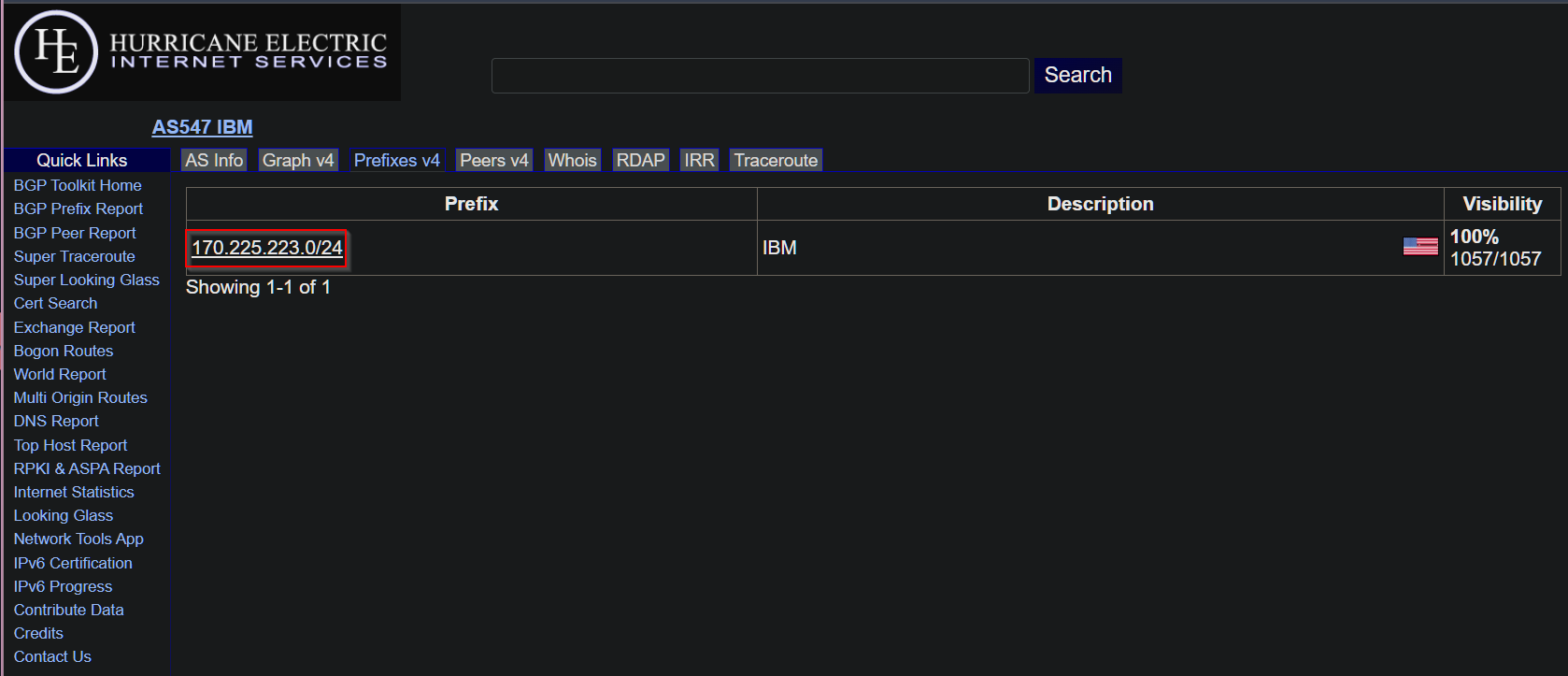
Asrank
- Search for organization names. There may be multiple names.
- Save the ASN number.
- Go to https://bgp.he.net/
to get the IPv4 ranges and save them to a
ips.txtfile.
Arin and Ripe
- Search for organization names. There may be multiple names.
- Save the IP ranges as CIDR (Example: 66.90.225.72/29) to a
ips.txtfile.
Caduceus
Use Caduceus to get subdomains and apex domains…
Install Caduceus
sudo apt update && sudo apt install -y gcc golangCGO_ENABLED=1 go install github.com/g0ldencybersec/Caduceus/cmd/caduceus@latestAdd the following path to the end of your
.zshrcor.bashrcexport PATH=$HOME/go/bin:$PATHRestart your shell:
source ~/.zshrcorsource ~/.bashrc.Cat your IP text file and run it to Caduceus
cat ips.txt | caduceus | tee caduceus.txtInstall unfurl
go install github.com/tomnomnom/unfurl@latestGet the apex domains from your Caduceus output.
cat caduceus.txt | unfurl -u apexes | tee caduceus-apex-domains.txtCheck your apex domains with my vibe coded python script , replacing
<org>with your target’s organization (example: International Business Machines Corporation).Note: My script isn’t perfect. Feel free to reach out on Discord or create an issue if anything comes up.wget https://raw.githubusercontent.com/blue-pho3nix/scripts/refs/heads/main/whois_check.pypython whois_check.py --org "<org>" -l caduceus-apex-domains.txt -o valid-caduceus-apex-domains.txt
Whoxy
Use Whoxy to get Apex Domains…
Buy Reverse Whois API Queries .
Note: 1,000 for $10 is fine for now.Get Apex domains, replacing
<companywith the url encoded Organization (Example: International+Business+Machines+Corporation), and<api-key>with your API key .Note: This will get you the first 2,500 results. You can fetch more by page (start after page 25). More details here . If you fetch by page, make sure to keeptee -a whoxy-outputto get all the domains in step 3.curl "https://api.whoxy.com/?key=<api-key>&reverse=whois&company=<compay>&mode=micro" | tee -a whoxy-outputCat out your Whoxy output and get your apex domains.
cat whoxy-output | jq -r '.search_result[].domain_name' | tee whoxy-apex-domains.txtCheck your apex domains with my vibe coded python script , replacing
<org>with your target’s organization (example: International Business Machines Corporation).wget https://raw.githubusercontent.com/blue-pho3nix/scripts/refs/heads/main/whois_check.pypython whois_check.py --org "<org>" -l whoxy-apex-domains.txt -o valid-whoxy-apex-domains.txt
Apex Domains Sorta Done!
Combine Your Apex Domain Files…
cat valid-whoxy-apex-domains.txt valid-caduceus-apex-domains.txt | sort -u | tee valid-apex-domains.txt
2. Subdomain Scraping 🎉
Subfinder
Use Subfinder to get subdomains…
~/.config/subfinder/provider-config.yamlInstall Subfinder
go install -v github.com/projectdiscovery/subfinder/v2/cmd/subfinder@latestRun the following command
subfinder -dL valid-apex-domains.txt -all -o subfinder-subdomains.txt
Assetfinder
Use Assetfinder to get subdomains…
Install Assetfinder
go install github.com/tomnomnom/assetfinder@latestRun the following loop
while IFS= read -r domain; do
  [ -n "$domain" ] || continue
  assetfinder --subs-only "$domain" | tee -a assetfinder-valid-apex-domains.txt
done < valid-apex-domains.txt
3. Subdomain Mutations
Alterx
Use Alterx to create some subdomain mutations…
Install Alterx
go install github.com/projectdiscovery/alterx/cmd/alterx@latestRun the following command
alterx -l subfinder-subdomains.txt -o alterx-subfinder-subdomains.txt
4. Is it active? + Increase Attack Surface
Compile everything
Get all the domains, subdomains, and IPs into one file…
cat all your files into one everything.txt file. Don’t include ips.txt if IPs are not in scope.cat valid-apex-domains.txt alterx-subfinder-subdomains.txt assetfinder-valid-apex-domains.txt subfinder-subdomains.txt ips.txt | sort -u | tee everything.txt
Dnsx + Naabu + Httpx
Get the active assets… get open ports and increase your attack surface… find out what’s serving web content…
- If this is your first time installing, you’ll want to delete
which httpxfirst.go install -v github.com/projectdiscovery/dnsx/cmd/dnsx@latestgo install -v github.com/projectdiscovery/naabu/v2/cmd/naabu@latestgo install -v github.com/projectdiscovery/httpx/cmd/httpx@latest Get the valid subdomains + ports + web content
For naabu, this just gets the top 100 ports. If you want more ports run--top-ports fullor--top-ports 1000. In addition, you can add / remove flags and even screenshot with httpx (if you don’t want to screenshot with gowitness).dnsx -l everything.txt -r ./resolvers.txt | naabu -silent | httpx -title -sc -cl -location -fr -o httpx_naabu_dnsx_everything.txt
5. Screenshots
Gowitness
Make it easier to see / of each (sub)domain/IP…
Install gowitness
go install github.com/sensepost/gowitness@latestGet screenshots
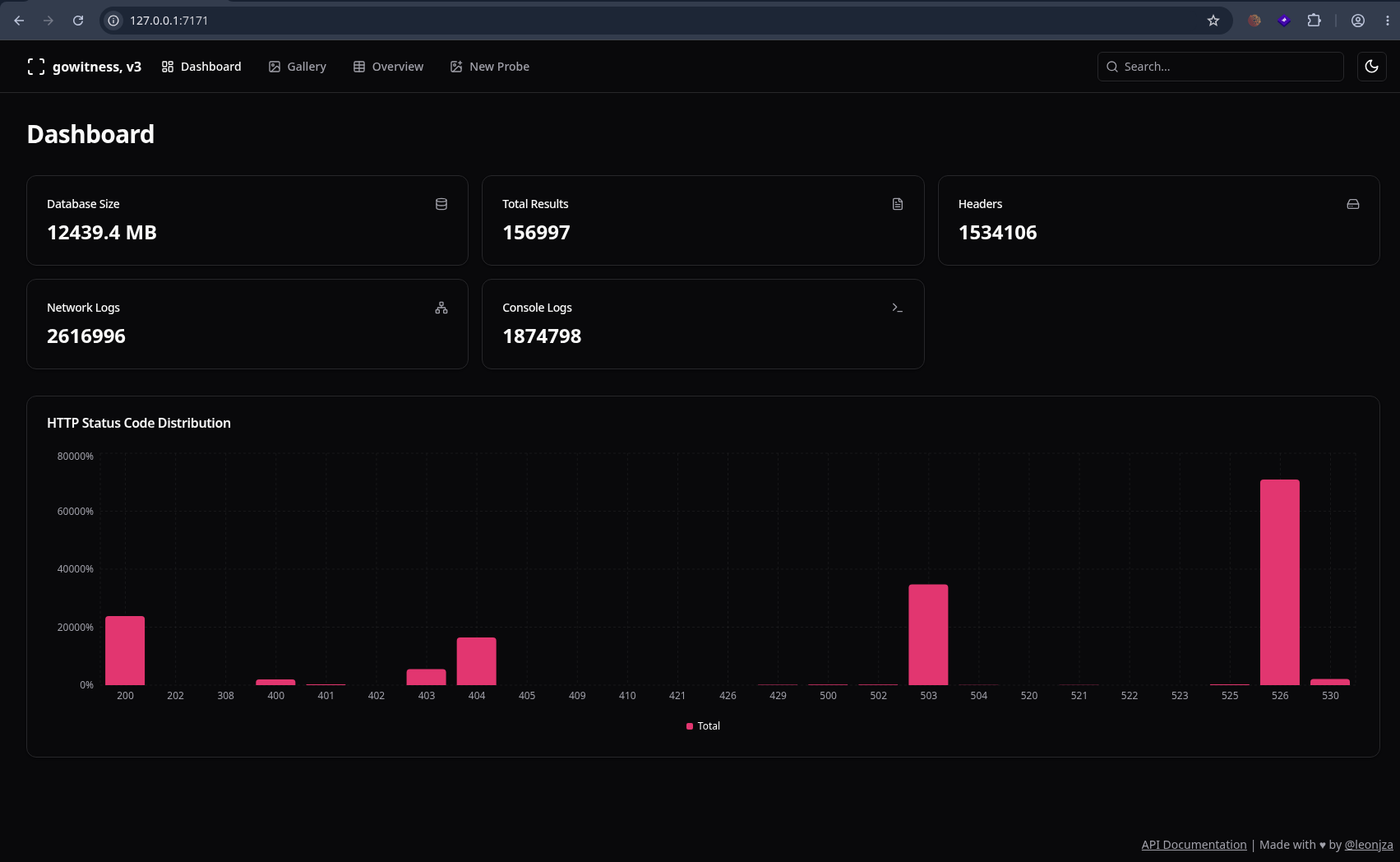
gowitness scan file -f input --write-db --screenshot-fullpageOpen the server
gowitness report serverNavigate to
http://127.0.0.1:7171
Note
References
This is where I learned a bunch of this…